
















Clock or Time Changes, Not Showing Correct Time - Connected Appliance
The Time on my Maytag Appliance Keeps Changing
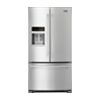
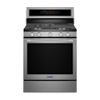
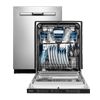
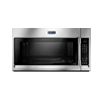
If your Maytag appliance is connected to your home network and mobile app, it should automatically keep or update the date and time. But, if for some reason, your appliance becomes disconnected, your time/clock may not display the correct time, show as GMT (Greenwich Mean Time), or not update correctly.
If your clock is not displaying correctly, follow the steps below:
-
Check that the appliance is connected and on-line
-
Check Mobile App Settings
- Open the Mobile App
- Click on "Settings" (gear icon in the upper right-hand corner)
- Click on "Account Settings" and ensure a correct/valid street address and zip code are entered. If an address validation prompt occurs, please accept the suggested address.
- Go back to "Settings."
- Select "Date & Time"
- If "auto" is enabled, turn it OFF, then back ON, and save
- If not enabled, turn on "Auto" position and save
Need help Connecting Your Smart Appliance?
Connecting your appliance is quick and easy.
- Download the Maytag mobile app
- Create an account
- Register and connect your appliance.
- Enjoy the benefits!
Need additional help?
If you need additional help with your connected appliances, please visit the Connected Help Page or contact us at 1-877-559-2605.
If you would like to download or view product literature for your appliance, please visit our Manuals and Literature page.